How to Troubleshoot NXDOMAIN DNS Errors
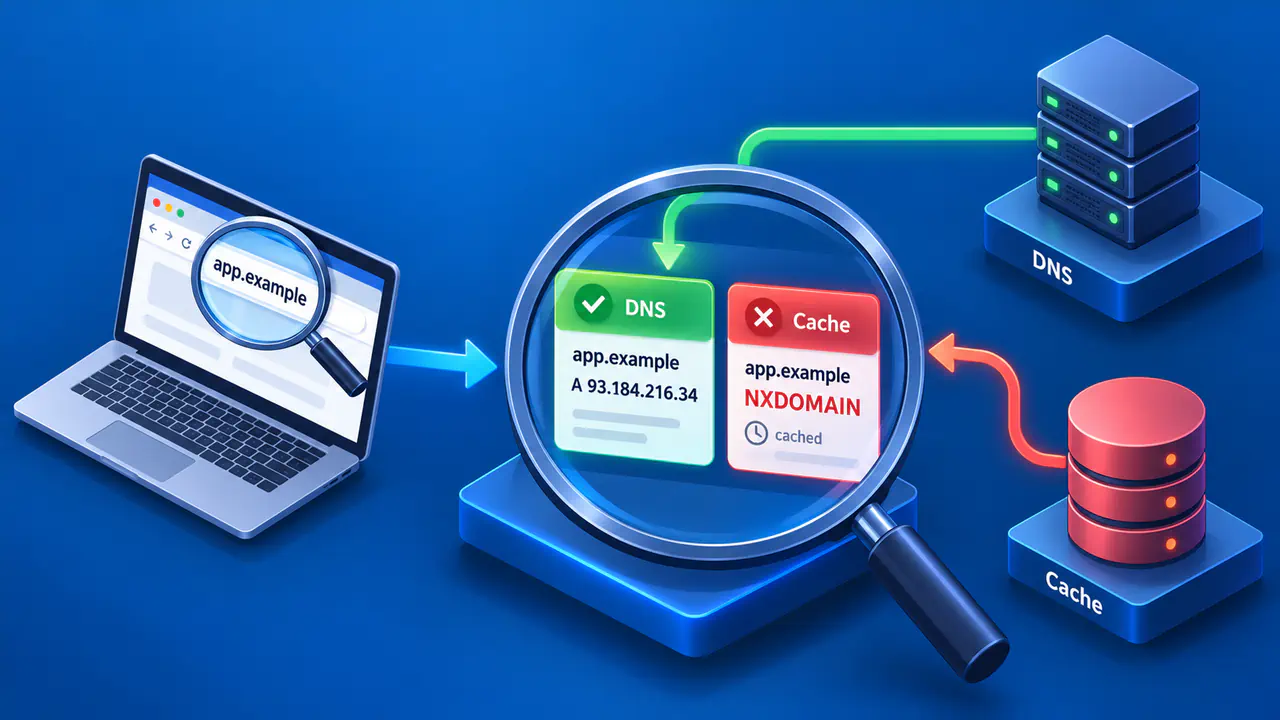
NXDOMAIN is DNS response code 3, which reports that a name does not exist. A missing record type at an existing name is a different result. A timeout provides no answer, while SERVFAIL reports that a DNS server could not complete the query. When a browser says a name cannot be found, check the exact DNS question and response before clearing caches or changing the DNS server.
A typo can produce a genuine NXDOMAIN, while a newly created name can appear nonexistent because a resolver cached an earlier negative answer. Some networks or DNS services also rewrite or synthesize responses. Check the spelling and current authoritative data first, then compare the affected resolver's answer to identify whether caching or filtering is involved.
Check the Exact Name and Record Type
Write down the fully qualified name as queried, including every part separated by a dot. A missing hyphen or an unintended search suffix can turn the intended name into a different DNS question. Compare it with the name the site or service actually publishes. Do not assume that a browser and a DNS tool queried the same name if a proxy, VPN or search suffix is involved.
Also check for malformed input, such as two consecutive dots between parts of a hostname. A tool may reject that input before sending a DNS query, so an input error is not evidence of an NXDOMAIN response.
An A query asks for IPv4 address data; an AAAA query asks for IPv6 address data. If a name exists with AAAA but has no A record, the A response should indicate no data, not NXDOMAIN for the name. A no-data response uses NOERROR without the requested records, normally with an SOA record in the authority section. A referral can also lack an answer, but directs the resolver to other nameservers instead of establishing that the requested data is absent.
Use a known good name as a control. If many unrelated names produce NXDOMAIN only on one network, the resolver path or filtering policy deserves attention. If only one mistyped name fails everywhere, correct the name before investigating caches. Keep the tests on the same record type when comparing resolvers.
Compare Recursive and Authoritative Answers
A recursive resolver retrieves and caches DNS data for clients, while an authoritative server publishes the records for a zone. Find the authoritative nameservers through the parent delegation and ask them about the exact name and type. If responsibility passes to a child zone, follow that delegation. A DNS provider dashboard can show a record in a zone that public delegation does not reach.
If the authority now returns a positive answer but one recursive resolver still says NXDOMAIN, the resolver may have cached an earlier negative answer. A different DNS view, meaning a different set of records selected for the client, or a rewritten response can also explain a disagreement. Compare the zone name in the SOA record, the answering server and available diagnostics before selecting a cause.
Query each authoritative server when the zone lists several. One server may be out of sync or misconfigured. An answer from a single authority is not enough to establish that every designated server publishes the intended name. A recursive resolver can encounter different authorities across attempts, which may look intermittent to users.
Check any CNAME records in the response as well. A CNAME directs a lookup from an alias to another name, and NXDOMAIN after that redirection can refer to the final target rather than the alias you typed. Follow the chain and check the target's authoritative zone before deciding which name is missing.
Account for Negative Caching
Resolvers can cache the nonexistence of a name. The initial negative TTL comes from the smaller of the SOA record's TTL and its MINIMUM field. For example, if a resolver queried new.example.com before the name was created, it may retain NXDOMAIN after the authoritative zone begins serving a record. The new positive record's TTL does not erase a prior negative cache entry.
Check the remaining negative lifetime at the affected resolver if your tool shows it. A local device may also cache the negative result. Clear a local cache only when evidence shows that local layer is stale. If the configured recursive resolver still serves NXDOMAIN, the device can receive the same answer again immediately.
A cached NXDOMAIN can also affect names below the missing name, a behavior called an NXDOMAIN cut. A resolver may answer a query for a descendant using that cached negative result without asking an authoritative server again. The exact name whose existence was denied therefore matters, including when a CNAME points outside the original zone. The negative TTL controls how long that denial is normally reused; it does not describe whether records will exist later.
Check for Rewritten or Synthesized Responses
A resolver's answer may differ from the authoritative answer for reasons other than ordinary caching. A network can intercept DNS traffic, a filtered resolver may apply policy, and a captive portal can alter DNS answers before network sign-in. Different application and resolver results justify checking the DNS path, but do not prove that traffic was intercepted.
Verify which resolver actually answered the query. A router, VPN, browser DNS over HTTPS setting or managed network policy can affect which resolver handles it. If a direct query to one resolver says the name exists but the application reports NXDOMAIN, check whether both used the same DNS path and name. If the paths differ, the conflicting results do not identify a bad cache by themselves.
A synthesized negative answer can also reflect deliberate filtering, not a missing authoritative name. Check the resolver's published policy or error details if available, and compare with an authorized direct authoritative query. On a managed network, ask the administrator to investigate a policy mismatch rather than changing settings to bypass the policy.
Apply the Fix and Repeat the Query
If you manage the zone and confirm that an intended name is missing, publish it in the zone reached through the correct delegation. If a CNAME points to the wrong target, correct the target in that CNAME record. A website visitor who cannot change the zone should send the failed name, response and test time to the site's operator.
After a publication or delegation change, verify the intended data on each relevant authoritative server. Repeat the original query at the affected recursive resolver after its negative entry expires, or use supported cache administration if you control that resolver. Finally, retry the application on its original network and DNS path so a successful test through another resolver does not hide the remaining problem.