Layer 4 vs Layer 7 Load Balancing Explained
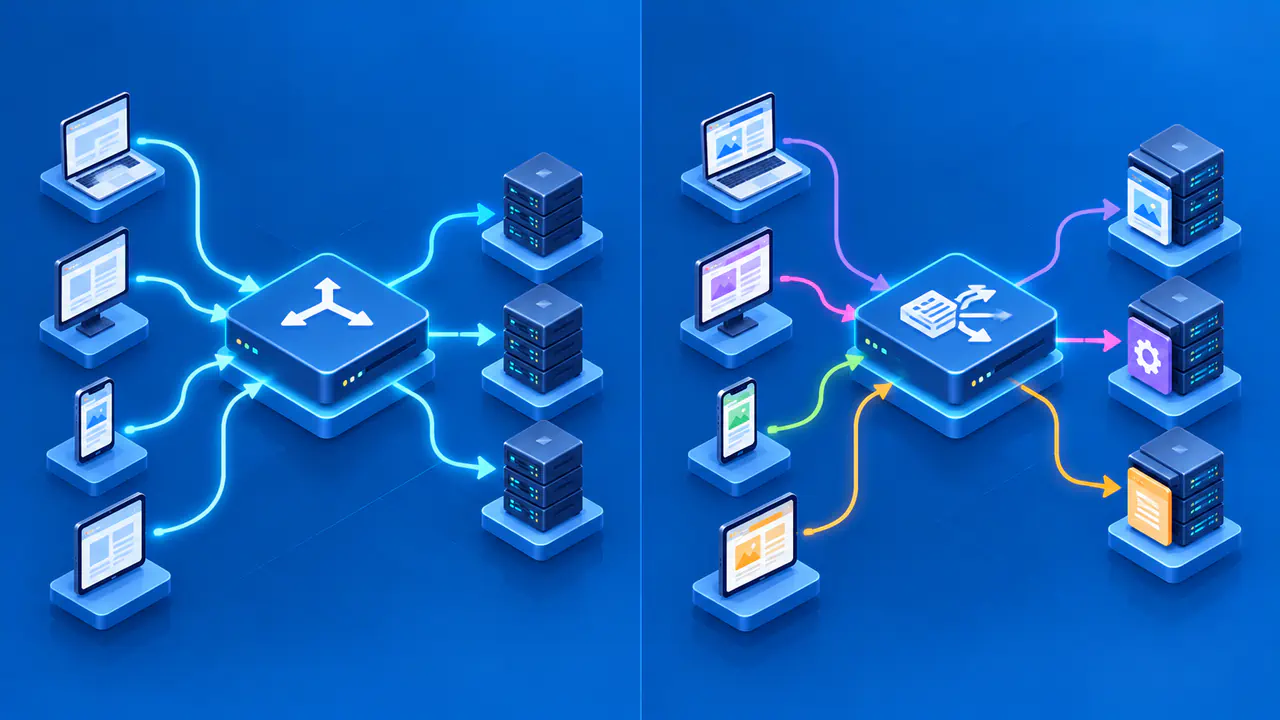
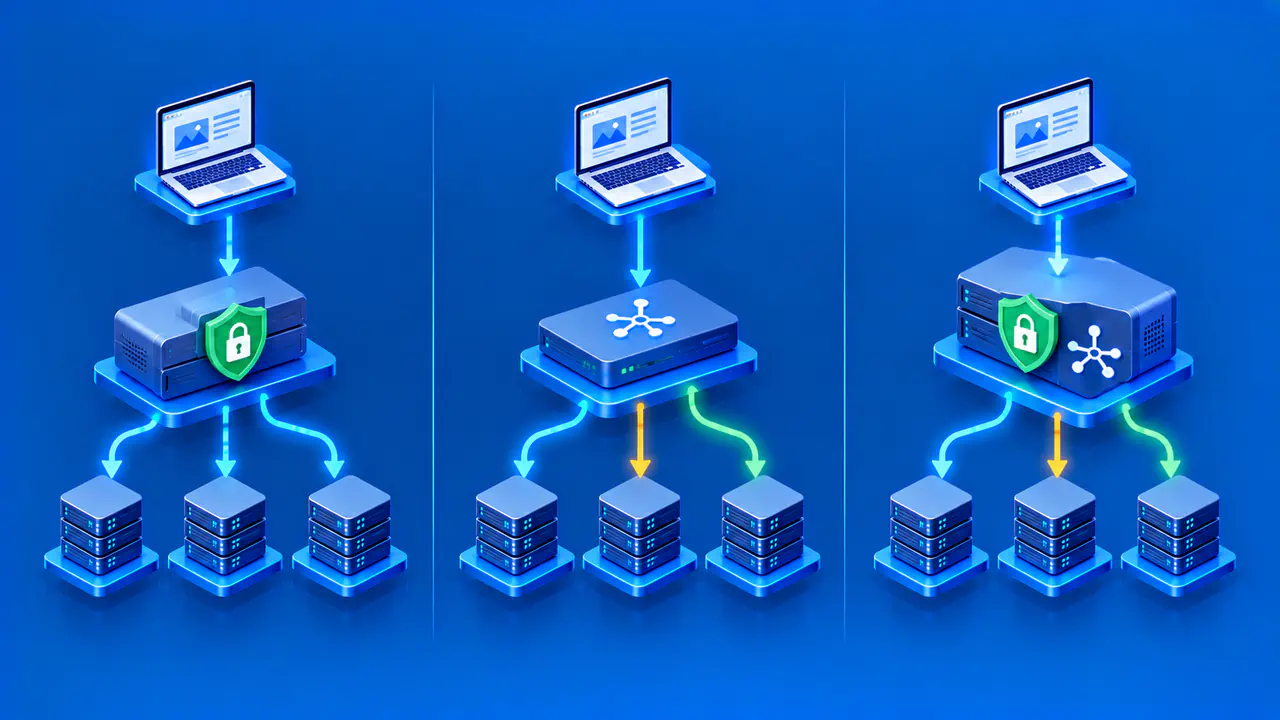
Layer 4 load balancing selects a target using transport-level information such as protocol, address, and port. Layer 7 load balancing can inspect an HTTP request and choose a target using application details such as host or path. Both distribute traffic, but they make decisions from different information. The choice depends on whether the application needs each connection or each request to be routed separately, as well as where encryption ends and which logs are available.
The numbers refer to the transport and application layers of the OSI networking model. AWS Network Load Balancer (NLB) is a Layer 4 example, while AWS Application Load Balancer (ALB) is a Layer 7 example for web traffic. Those labels describe how the products handle traffic, but do not guarantee identical features across all products in the same category.
Compare the Data Used for Decisions
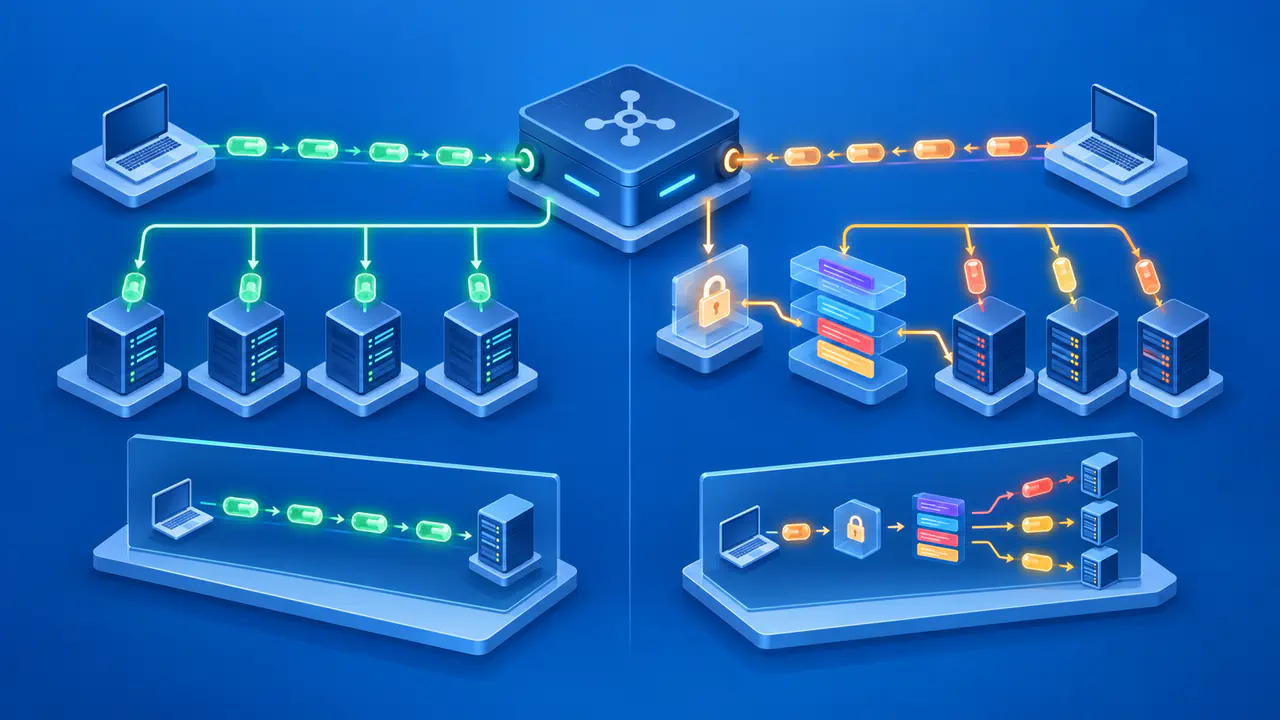
A Layer 4 balancer can forward TCP or other supported flows to a selected target without interpreting the HTTP path inside the connection. For TCP, an AWS Network Load Balancer uses details such as the source and destination addresses and ports to choose a target. Each TCP connection remains assigned to one target for the life of that connection. A browser may send many HTTP requests over a persistent connection, so those requests continue to reach the same target.
A Layer 7 balancer processes application requests. An AWS Application Load Balancer evaluates rules for its listener, the endpoint configured to receive traffic on a particular protocol and port. A rule can select a target group, which is a set of backends registered to handle matching requests. For example, requests under the /api/ path can go to an application service while /images/ requests go to an image service at the same public hostname. Layer 4 selection cannot make that path-based distinction, even if the HTTP traffic is unencrypted.
The distinction does not imply that Layer 4 has no health checks or Layer 7 must route every request to a different server. Both can check targets and apply distribution policies. Request-based routing also does not require equal numbers of requests on every server. The configured distribution method, target availability, and any session affinity can affect which backend receives a request.
Where TLS Encryption Ends
With TLS pass-through, encrypted traffic reaches the backend, which terminates TLS and can read the HTTP request. A transport-level balancer can distribute such connections without seeing the decrypted path. The client negotiates TLS with the backend, and the balancer relays the encrypted bytes. Because the balancer does not decrypt that connection, it cannot apply routing rules that require the HTTP hostname or URL path.
When a Layer 7 balancer terminates HTTPS, it presents a server certificate to the client and handles the TLS connection itself. It can then read the HTTP hostname, path, and headers before selecting a backend. The balancer forwards the request over a separate connection to the target, using HTTP or HTTPS according to the configuration. Configure the backend connection separately, including its protocol and certificates where needed. Confirm whether the balancer checks the backend certificate instead of assuming that all products apply the same validation.
An AWS Network Load Balancer can use a TLS listener to decrypt incoming traffic while still selecting targets at the connection level. A TCP listener can instead pass TLS traffic through for the backend to decrypt. The Layer 4 label therefore does not specify where encryption ends, and adding TLS termination does not by itself provide HTTP path routing.
Match Routing Rules to Application Needs
Request-based routing is useful when applications share a public front end but need different backends according to the hostname, path, HTTP header, or request method. An Application Load Balancer is one example. It can route a shopping API and a public content site to different target groups while presenting one client endpoint. Rules run in priority order, so an earlier broad match can prevent a later, narrower rule from handling the request. A default action handles requests that match no other rule.
Connection-based selection is useful when the service uses a non-HTTP protocol or when all requests on a connection should reach the same backend. AWS Network Load Balancer supports TCP, UDP, and QUIC traffic through compatible listener and target-group configurations. Support for one protocol does not imply support for every listener and target combination, so match both ends of the configuration to the service.
Neither layer repairs a broken application or its shared dependencies. A balancer can avoid targets that fail its configured check, but an overly shallow check may mark a service healthy while a necessary database query fails. Session affinity, also called stickiness, keeps a client's later traffic associated with a selected backend while the affinity remains valid. It does not copy session data or uploaded files to another server. An application that loses a backend still needs a way to recover the required state or ask the client to reconnect.
Client IP Addresses and Logs
The source IP address seen by a backend depends on the balancer and its configuration. With AWS Network Load Balancer, preservation depends on factors including target type, protocol, and network path. For TCP and TLS target groups, the preservation setting can change which address the backend receives. An HTTP proxy may instead convey the client address in a forwarded header, which the application should trust only when it comes through the intended proxy.
A Layer 7 balancer can record details of individual HTTP requests. For example, Application Load Balancer access logs can include the requested URL, matched rule, target address, and response status. A Layer 4 product may provide connection details without the URL or application response code. Check the actual log fields before relying on either product to explain an application error.
Keep source-address policy separate from user identity. Shared networks, proxies, and address translation can place many visitors behind one address. Rate limiting by address may be useful in some contexts, but it does not replace account-level controls or proper application authorization.
Test with the Actual Workload
Compare the options against the service's real protocols, routing rules, TLS requirements, session behavior, and failure cases. Test a healthy target, a removed target, a failed health check, and an overloaded shared dependency. For Layer 7, verify path and host rules, redirects, and application headers. For Layer 4, verify connection continuity and protocol behavior. Record the outcome at both the client and backend, including whether an existing connection survived and where new requests went.
Measure response times and errors with traffic that resembles the expected workload. Layer 4 forwarding may require less HTTP processing, but application work, target location, and network congestion can outweigh that difference. Neither layer is universally faster. Include both connection counts and request counts in the comparison, since one long-lived connection can carry many requests.
HTTP/2 allows concurrent requests to share one TCP connection. A connection-level balancer keeps that connection assigned to one target, whereas an HTTP-aware balancer can route individual requests after decoding the HTTP/2 requests. Confirm the supported frontend and backend protocol versions separately. An application can behave differently under many short connections than under a few busy persistent connections, even when the total request rate is similar.