Reverse Proxy vs Load Balancer Explained
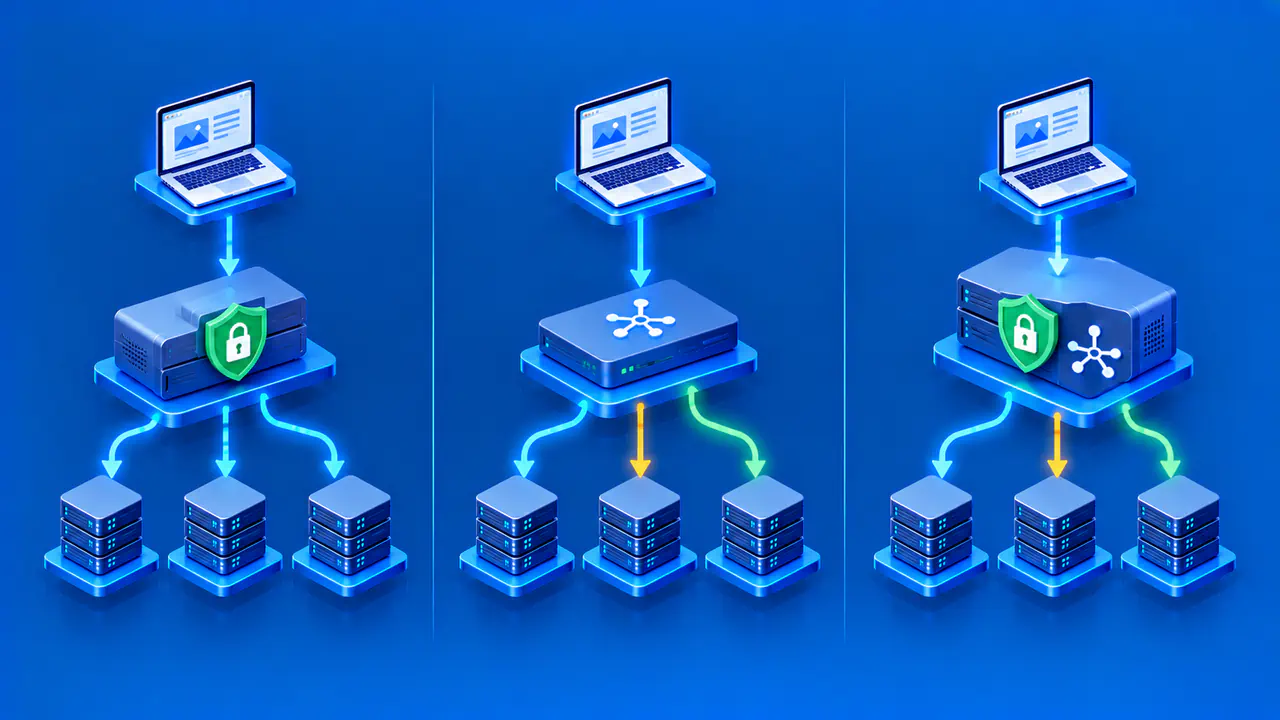
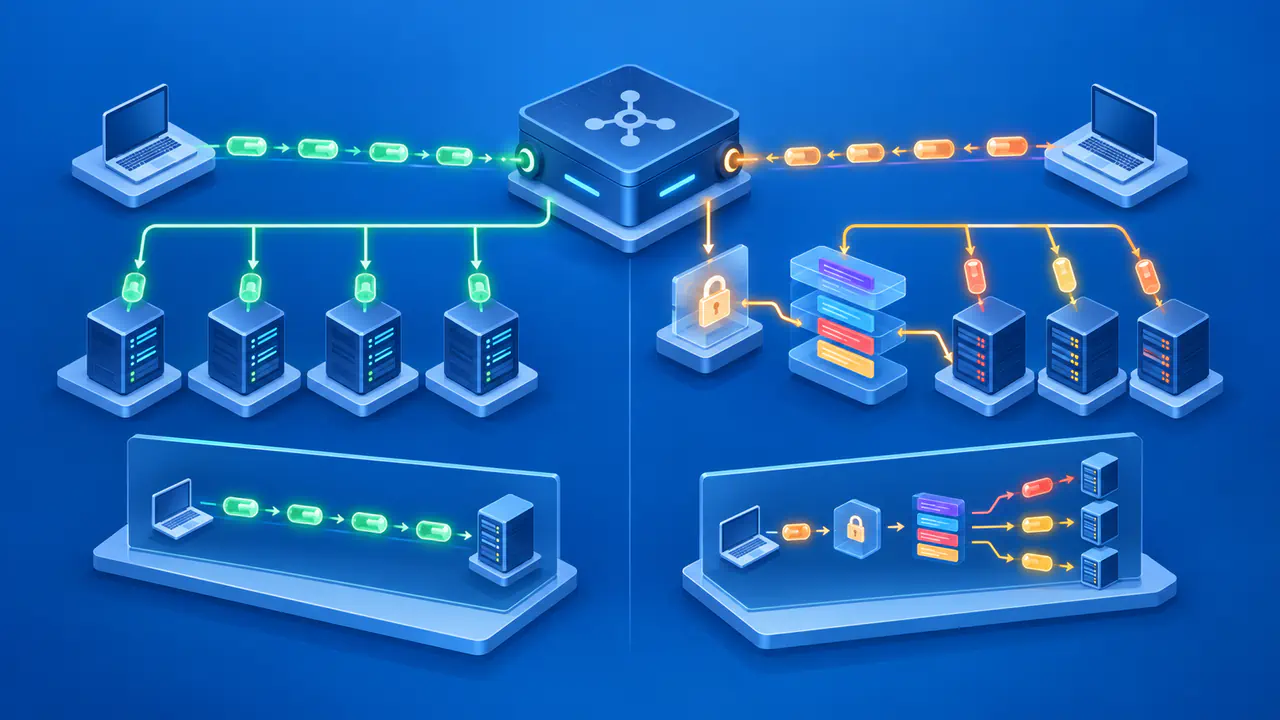
A reverse proxy receives a client request and forwards it to a backend service, returning the backend's response to the client. A load balancer chooses among multiple available targets to distribute traffic. The terms describe roles rather than mutually exclusive product categories. A single NGINX instance, cloud service, or edge platform can act as a reverse proxy and also balance requests across several upstream servers.
A reverse proxy can serve an application that has only one backend, with no traffic to divide between servers. When several copies of that application are available, the proxy may also select which copy receives each request. Choosing a proxy therefore does not automatically require a separate load balancer.
Understand the Client-Facing Proxy Role
In a reverse-proxy arrangement, the browser connects to the proxy rather than directly to the application server. The proxy accepts the request, applies its routing and header policy, contacts an upstream service, receives a response, and sends a response back to the browser. For example, NGINX can forward a request to another server through its proxy_pass directive. The destination is often called an upstream server because the proxy obtains the application response from that server.
Depending on its features and configuration, a reverse proxy may also serve static files, handle TLS encryption, route URL paths to different applications, or apply caching and request controls. None of those features is inherent to every reverse proxy deployment. In a typical HTTP proxy setup, the application receives its connection from the proxy rather than from the browser. The application must distinguish that immediate connection from information about the original client carried in forwarded headers.
The proxy should pass along the information the application needs, such as the requested hostname and whether the browser used HTTP or HTTPS. The application should accept forwarded values only through a configuration that trusts the intended proxy. Incorrect protocol information can cause redirect loops, while the wrong hostname can produce links to the wrong site. These errors can occur even when every request goes to the same backend.
How a Load Balancer Selects Backends
A load balancer selects a backend from the servers or service instances registered to receive traffic. A round-robin method takes turns among eligible backends, while a least-connections method favors the backend with fewer active connections. Weights can give some backends a larger share. The selected method and any health checks determine which targets receive new traffic.
Balancing can improve capacity use and availability when multiple targets can handle the same request. Distributing requests does not repair a failed backend or add processing capacity by itself. If every backend is overloaded, changing the distribution may be insufficient to restore normal service. A health check also measures only what it is designed to test. A backend may pass a shallow check while a database-dependent feature still fails.
If an application stores a signed-in user's session only in one server process, a later request sent elsewhere may appear to come from someone who is signed out. A shared session store lets multiple backends retrieve the same session data. Sticky sessions can favor one backend for a client, but they do not copy that backend's stored data to a replacement. Uploaded files saved only on one server can likewise be unavailable when a later request reaches another server.
See Where the Functions Overlap
An HTTP reverse proxy can hold a pool of upstream servers and select one per request, making it a load balancer as well. The same front-end component may terminate HTTPS, inspect the URL path, and choose a healthy backend. A load balancer that distributes TCP connections does not need to interpret individual HTTP paths. Some implementations proxy those connections, while others forward network packets without accepting a separate client connection. The lack of HTTP routing alone does not tell you whether a component is a proxy.
Products often combine functions in different ways. A CDN edge may proxy requests and choose an origin. A cloud application load balancer may route HTTP requests to target groups. Check which features are enabled for the particular deployment. A product that supports both roles may currently be configured only to forward requests to a single destination.
Multiple application backends also do not protect against failure of a single proxy in front of them. If all traffic must pass through one proxy instance, losing that instance can make every backend unreachable to visitors. Availability planning must include the front end and shared dependencies as well as the application servers.
Follow a Simple Deployment Example
Imagine shop.example served through a public front end. The browser establishes HTTPS with that front end, which serves image files locally and forwards API requests to two instances of the same application, A and B. When the front end chooses between those instances for an API request, it is both a reverse proxy and a load balancer. The browser continues to use the public site address without choosing an application instance itself.
If app A fails a meaningful health check, the front end may route new requests to app B. The site can still fail if app B depends on the same broken database or cannot retrieve the data needed to complete the request. The front end should record which upstream handled a request and which status was returned, so operators can tell a proxy-generated error from an application error.
A different architecture might put a network load balancer before the reverse proxy. The load balancer distributes connections across two proxy instances, and each proxy forwards HTTP traffic to an application. Here the roles are on separate components. A separate load-balancing tier can distribute traffic across proxy instances as the proxy tier grows, but adds another configuration to maintain and another stage to troubleshoot. Combining the roles can reduce that complexity when one component provides all the required features.
Choose Checks for Each Role
For the proxy role, check which component handles HTTPS, where each hostname and path is forwarded, and which headers the application trusts. Verify timeout behavior and whether clients can bypass a proxy that is meant to be the only entry point. For the balancing role, confirm that the intended targets are registered and observe where new requests go when a backend fails its check. Test sign-ins, file uploads, and API calls through the public address, including requests that reach different backends.
Compare response times and errors seen by clients with the timings and status codes recorded for each backend. A 502 at the proxy may reflect an unreachable backend, while a 500 returned by a backend points to a different investigation. Use a consistent request identifier in proxy and application logs to find records for the same request. Record the selected backend and the response status at each component so a browser-visible error can be traced to the component that produced it.