What Is a URL?
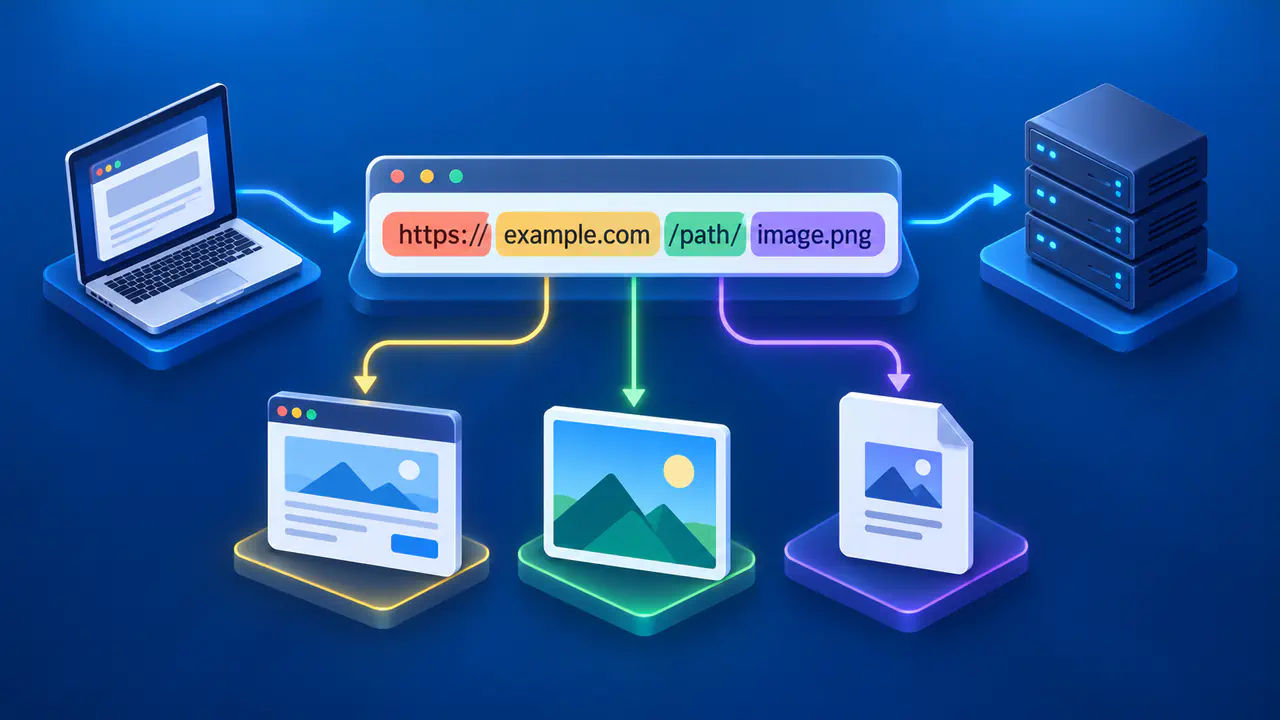
A URL, or Uniform Resource Locator, is an address for something a browser or another application can access, such as a web page, image, or file. You use URLs when you follow links, save bookmarks, or type a web address into your browser.
For example, https://example.com:8443/maps/region?mode=road&unit=km#details includes more than a website name. The text before and after example.com tells the browser how to connect and which part of the site to request.
What a Web URL Identifies
A browser can use a web URL to ask a server for a page, file, or other resource, but the address does not guarantee that the requested content still exists. A page can move, require a login, or show different content over time. A server may also return an error in response to the request.
The server uses the path and query in an HTTP or HTTPS URL to decide what content to return. A path can look like a file name without corresponding to a physical file on disk. Different URLs can display the same content when a server redirects one address to another or handles several paths in the same way.
Read the Scheme, Host, and Port
The scheme is the part before the first colon. In a web address, http specifies HTTP without transport encryption, while https specifies HTTP protected by Transport Layer Security (TLS). The familiar double slash introduces the authority, which contains the host and may include a port. Other URL schemes can have different structures, so the rules here describe HTTP and HTTPS web addresses.
Read the authority after the double slash and before the next slash, question mark, or number sign, or the end of the address. In the example, the authority is example.com:8443, and the host is example.com. For HTTPS, the browser checks the server's certificate against the host identity used in the URL.
Some addresses include user information before the host, separated from it by an @ sign. In that form, the destination host follows the @ sign, so the text immediately after the double slash may not be the host. Credentials in web URLs are discouraged and may be rejected by clients; use the site's intended login method instead.
A colon after the host can introduce an explicit port number. In the example, the colon before 8443 separates the hostname from the port. The port selects a network service at that host. When an HTTP URL omits a port, 80 is its conventional default; for HTTPS, 443 is the conventional default. The presence of :8443 does not by itself tell you which scheme the service uses. Read the scheme and port together.
Take care with addresses that put a familiar name somewhere other than the host. In https://example.com.other.test/path, the host is example.com.other.test, not example.com. A word inside the path or query can also resemble a domain without being the destination host. The position of the separators matters more than a familiar-looking substring.
Read the Path, Query, and Fragment
The path comes after the host and optional port and before a question mark or number sign. In the example, /maps/region identifies the requested resource path. A trailing slash can be meaningful to a server or used in a redirect; do not assume that two visually similar paths always produce the same result.
A question mark begins the query. The example has two name-value pairs, mode=road and unit=km, separated by an ampersand. The query is sent with the request and can change a search, filter, or other application behavior. The server decides which parameter names matter.
A number sign begins the fragment. The example fragment is details. A browser can use it to move to a place within a document or let page code interpret it. The browser leaves the fragment out of the URL sent in the HTTP request. That distinction matters when comparing two URLs: changing a query may ask the server for a different response, while changing only the fragment can affect the browser's view without changing the requested resource.
The order is part of the syntax. A fragment follows any query, and text after the number sign belongs to the fragment. A question mark appearing there does not start a new server query.
Absolute and Relative URLs
An absolute HTTP or HTTPS URL provides the scheme and host, such as https://example.com/help/start. It can be interpreted without another page's address. A relative reference relies on a base URL, often the address of the page containing it.
If the base is https://example.com/help/start, the reference /images/map.png resolves to https://example.com/images/map.png, with a path starting at the root. The reference next resolves to https://example.com/help/next, using the base path's directory. A final slash changes that base: against https://example.com/help/start/, next resolves to https://example.com/help/start/next.
This context explains why copying only a path from a page may not be enough to identify its destination elsewhere. The path /help/start could exist on many hosts. A relative reference can also contain a query or fragment, and the browser resolves it against the base according to URL rules. Read the resulting absolute address when the destination matters, especially before sharing or troubleshooting a link.
URLs, Domain Names, and IP Addresses
A domain name such as example.com is one part of a web address. An IP address is the numeric address that can appear in the host position instead of a domain name. A complete web URL also specifies a scheme and may include a port, path, query, or fragment. The same domain name can be used in many URLs, and one IP address can serve sites with different domain names.
Checking a URL before Sharing It
Before sharing a URL, check whether its query contains personal details, temporary access tokens, or other information you do not intend to share. URLs can remain in browser history, server logs, and other records even when HTTPS protects the connection. HTTPS also does not establish that the page's claims are true.