DNS over HTTPS vs DNS over TLS

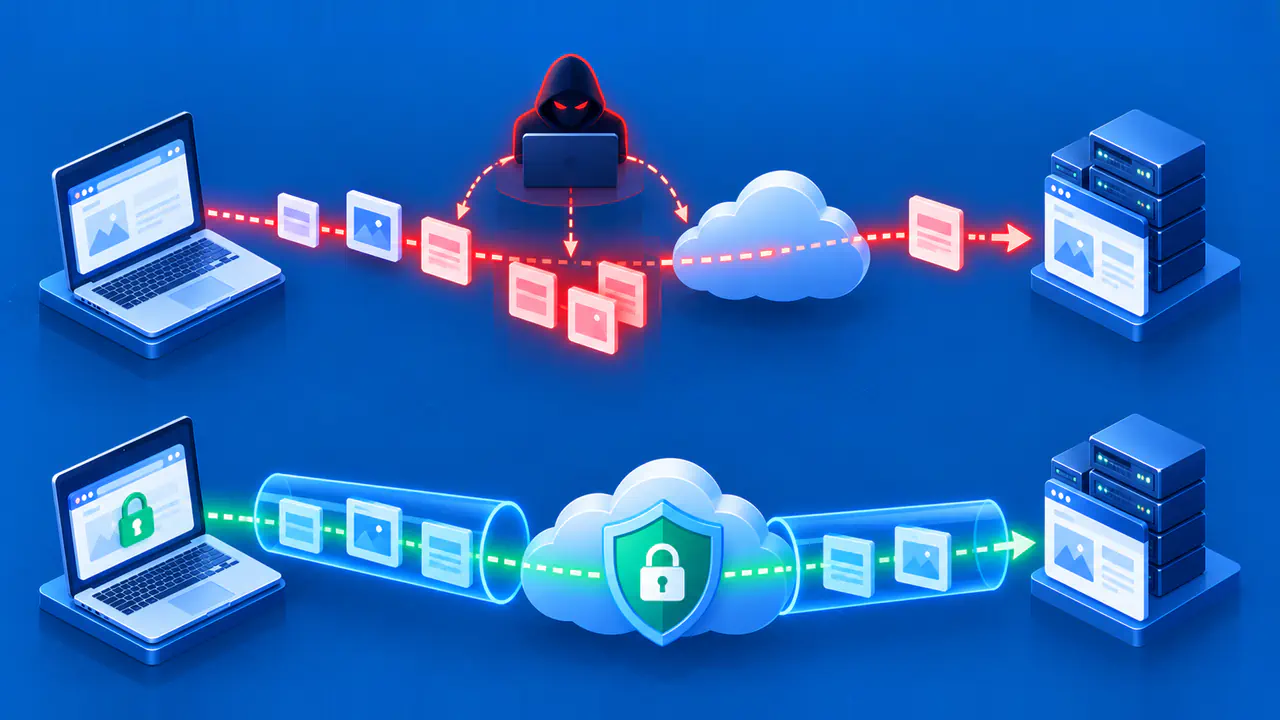
DNS over HTTPS (DoH) and DNS over TLS (DoT) both encrypt DNS messages between a client and a resolver, which looks up names for the client. DoH carries those messages in HTTPS exchanges, while DoT sends them directly over a dedicated TLS connection. Both use TLS security to address a weakness of traditional plaintext DNS: someone on the network path can read or alter unprotected queries.
The choice also depends on which resolver receives the queries and how the client handles a failed connection. The resolver must still read each query to answer it, so encryption does not remove the need to trust that service. DoH and DoT protect a particular DNS hop; they do not encrypt every connection made after a name is resolved.
How the Transports Differ
DoT normally uses TCP port 853. The client establishes a TCP connection and then negotiates TLS before sending DNS messages; no HTTP exchange is involved. A client and server can agree to use another port, but simply changing the port number does not add DoT support to a resolver.
DoH maps a DNS query and its response to an HTTPS exchange, commonly using port 443. The client sends requests to a configured HTTPS endpoint, meaning the service URL that accepts DNS queries. A resolver's ordinary website home page is not automatically a valid DoH endpoint. The client and server must both support DoH at the selected URL.
Both protocols can keep a connection open and avoid a fresh handshake for each lookup. DoT clients can send several queries without waiting for each answer in turn, and DoH can handle multiple DNS exchanges over one connection. Actual latency depends on the client, resolver, cache state, network, and connection reuse. Neither protocol is inherently the fastest in every environment.
Who Can Read or Change the Answers
The chosen resolver can read queries and supply or change the answers it returns. It can also apply filtering policies and log the requested names. An authenticated TLS connection protects the exchange from parties between the client and that resolver. Changing from plaintext DNS to DoH or DoT does not remove the need to examine the provider's privacy practices, retention policy, reliability, and filtering behavior.
Server authentication establishes that the connection reached the intended resolver. DoH uses HTTPS server authentication for its configured endpoint, while a DoT client checks the identity required by its chosen privacy mode. Encryption without that identity check can conceal data from passive listeners yet still expose queries to an active attacker impersonating the resolver.
The DNS data needs a separate integrity check. DoH and DoT secure the exchange with the resolver; they do not prove that the resolver supplied the domain owner's authentic records. DNSSEC validation checks signed DNS data through a chain of trust. It complements encrypted DNS but does not encrypt queries, and an encrypted resolver's malware filtering remains a separate service policy.
What Happens When Encryption Fails
Strict privacy mode for DoT stops a lookup if encryption or server authentication fails. Opportunistic mode tries to improve privacy when possible but can continue with weaker protection or plaintext DNS, depending on the client and available server capabilities.
DoH clients can also differ in their failure behavior. Some require encrypted DNS; others permit a return to the system resolver or another configured service when DoH is unavailable. For example, Firefox's Default Protection can fall back to default resolvers, whereas Max Protection displays a warning when secure DNS cannot be used. A successful fallback can restore name resolution without preserving the original encrypted path, so the selected mode matters as much as the protocol.
What a Network Can Still See
Port 853 makes a standard DoT connection relatively easy to classify as encrypted DNS. DoH shares port 443 with ordinary HTTPS, so a port-only rule does not distinguish the two kinds of traffic. The resolver's IP address can still identify the service. Packet sizes, timing, and later application connections can provide further clues about activity without exposing the DNS message itself.
DNS encryption does not make browsing anonymous. After receiving an address, an application connects to its destination through a separate path whose protection depends on the application and network. A VPN protects traffic routed through its tunnel, which has a different scope from encrypting DNS alone; it is not a guarantee that every connection is hidden.
A network can enforce rules through managed devices, approved resolvers, and connection controls even when it cannot read encrypted DNS in transit. A browser using a public DoH resolver may receive different answers from the operating system's DNS client. If the browser sends internal names outside the organization, those names may fail to resolve and the queries may reach an unintended provider. The same resolver-selection problem can occur with an incorrectly chosen DoT service.
Choose and Verify the Intended Resolver Path
Start by checking who manages the device and which resolver its applications are supposed to use. On a personal device, check whether the browser and operating system use the same resolver or different ones. On a managed device, follow the organization's approved resolver configuration so internal DNS and filtering rules continue to work. DoH is not limited to browsers: operating system DNS clients can support it too.
DoH may suit a client that already uses HTTPS, while DoT provides a separate DNS connection that network administrators can identify by its standard port. Choose an implementation that supports the required authentication, failure mode, and management controls. For DoH, use the provider's actual DNS endpoint; for DoT, use its connection address and required authentication name or other supported identity information. A numeric IP address alone is not proof of the server's identity.
A home router or local forwarder may centralize DNS choices for many devices, but encryption from that forwarder to an upstream resolver does not automatically encrypt the earlier device-to-forwarder hop. For example, a laptop can send plaintext DNS to its router while the router uses DoT upstream. In that arrangement, the upstream connection is encrypted but the local DNS exchange is not.
After an authorized configuration change, check the affected application's resolver status and the connection details available in its diagnostics. Confirm that ordinary lookups, required internal names, and the intended filtering policy still work. If the observed resolver or failure behavior differs from the approved configuration, investigate the application override or fallback before applying the change to more devices. One successful browser lookup does not verify the DNS path used by every application.