How Clock Drift Affects TLS and Server Logs
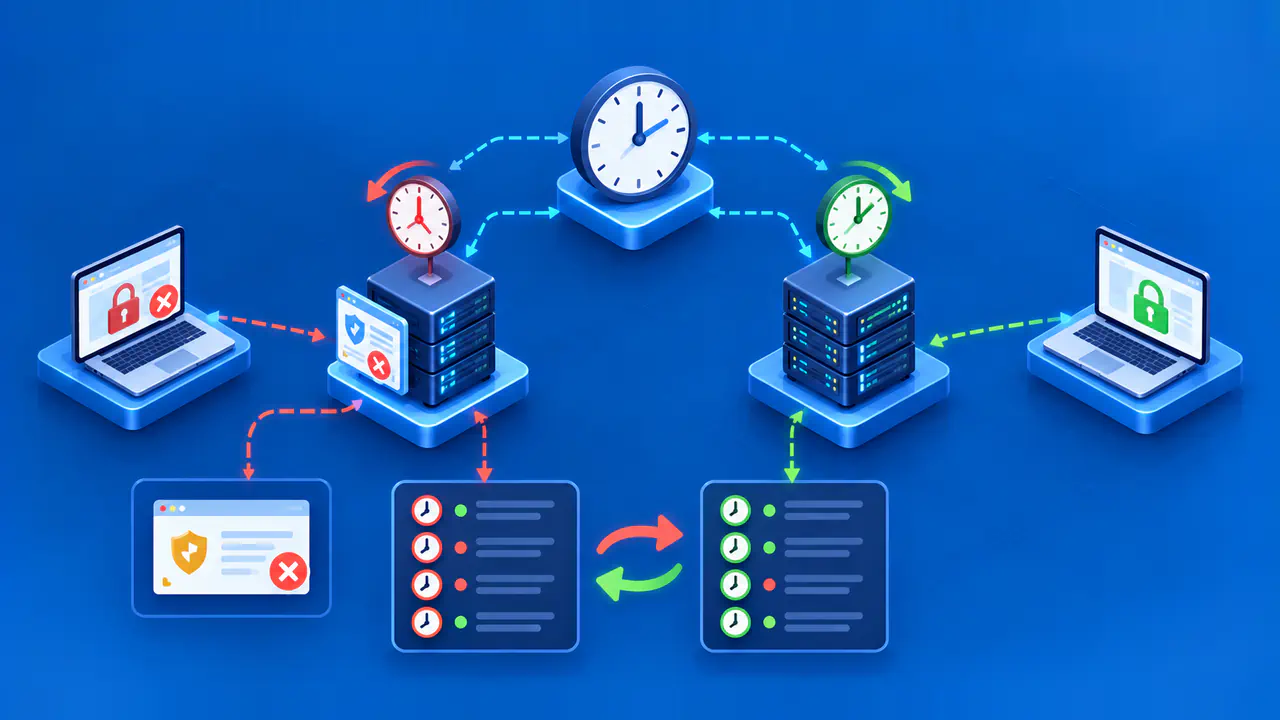
A computer uses its clock to check a TLS certificate's validity dates. If the clock is wrong, the computer may reject a certificate that is currently valid. An incorrect clock can also give server events misleading timestamps, making it harder to determine the order in which different machines handled a request.
Clock drift occurs when a clock gains or loses time as it runs. The clock, its time zone setting, and the timestamp format have different roles. A time zone setting controls how the time is displayed, while a format such as RFC 3339 determines how a timestamp is written. Changing the display or format does not correct a clock that is running fast or slow.
Why Certificate Date Checks Depend on the Clock
An X.509 certificate's notBefore field marks the start of its validity period, and notAfter marks the end. The software checking the certificate compares that interval with its current time. A clock that is too far behind may cause a newly issued certificate to be rejected as not yet valid; a clock that is too far ahead may make the certificate appear expired. A genuinely expired certificate can also produce a date error, so the warning alone does not establish that the clock is wrong.
The relevant clock belongs to the device performing the check. A browser checks a website's certificate using the time on the device running the browser. A server that checks a client certificate uses the server's time. Correcting one endpoint therefore does not necessarily correct a date error reported by the other.
Check the certificate dates and the current time on the device that reports the warning. If one browser rejects the certificate while another device with independently verified time accepts it, check the first device's clock. If several devices with correct clocks report the error, inspect the certificate chain presented by the server. Do not bypass a certificate date warning to make the page load; doing so removes a security check without identifying the cause.
Compare with a Trusted Clock
Compare the affected device's time with a reliable, independently synchronized clock and record the difference. If the device reads 14:07 UTC while the reference reads 14:02 UTC at the same instant, its clock offset is about five minutes fast. Verify both readings in UTC or convert them to the same zone before subtracting. A display showing 10:02 in one zone and 14:02 in another may represent the same instant, not a four-hour error.
Use the system's time settings or administration tools to check which time source it uses and when it last synchronized. A recent successful update is useful evidence, but compare the current reading too. For a virtual machine, check the guest's clock after a pause or resume, and review how time is supplied by the host and any network time service. Record the measured clock error and when you observed it before making changes.
Distinguish Clock Offset from Drift
Clock offset is the difference between a device's time and a reference at one instant. Drift causes that difference to change as the clock runs. A clock that remains two minutes fast has a constant offset; one that gains another second every hour is drifting. Repeated comparisons using the same reference and method help distinguish an incorrect setting from a clock that continues to gain or lose time.
A time zone setting changes how a clock reading is displayed. On a correctly functioning system, changing that setting does not change the underlying UTC time. A timestamp such as 2026-09-21T10:00:00-04:00 and one shown as 2026-09-21T14:00:00Z identify the same instant under RFC 3339 notation. The -04:00 suffix means the displayed local time is four hours behind UTC; it does not mean the clock itself is slow.
Rebuild a Reliable Log Timeline
A request may pass through several machines, each with its own clock. Suppose server A records receiving a request at 14:07:00 UTC, but its clock is five minutes fast. Server B, whose clock is correct, records the related response at 14:02:01 UTC. Sorting those timestamps would put the response first even though the request arrived first.
Preserve the original logs, including timestamps, time zone information, and request identifiers. Convert timestamps to a common basis such as UTC in a separate analysis copy. Account for measured clock errors only for the periods those measurements support. A five-minute offset measured now does not prove that the clock was five minutes fast throughout an earlier incident.
Use request or trace IDs to find records belonging to the same operation. An identifier links records; it does not, by itself, establish their order. Sequence numbers and known application steps can provide ordering evidence. For example, a server must receive a request before it sends the corresponding response.
A monotonic clock measures elapsed time without jumping backward when the calendar clock is reset. Durations measured with that clock can help check the sequence of steps on one machine. Keep any uncertainty in the reconstructed timeline explicit when clocks were unsynchronized. Around a daylight saving transition, a repeated local hour without an offset can refer to two different instants.
Restore Time Synchronization
Restore synchronization using the time service and reference sources approved for the system. Check whether the time service is running, whether the source is reachable, and whether recent updates have succeeded. Follow the operating system or hosting platform's procedure for correcting the clock.
A time service may correct an error gradually by adjusting the clock's rate, or it may step the clock directly to a new time. A sudden change can disturb scheduled jobs and make log timestamps jump forward or backward. Plan the correction with the service owner if active transactions or scheduled work could be affected.
After repair, compare the device's time with the independent reference again and check that the offset remains small over time. Retry the TLS connection with certificate validation enabled. Confirm that the certificate's validity period includes the correct current time, and investigate other certificate errors separately. Record when the clock changed, the measured error before and after the change, and whether the correction was gradual or immediate. Keep those notes with the original logs so later reviewers can distinguish a clock adjustment from an application delay.