What Is a Subnet Mask?
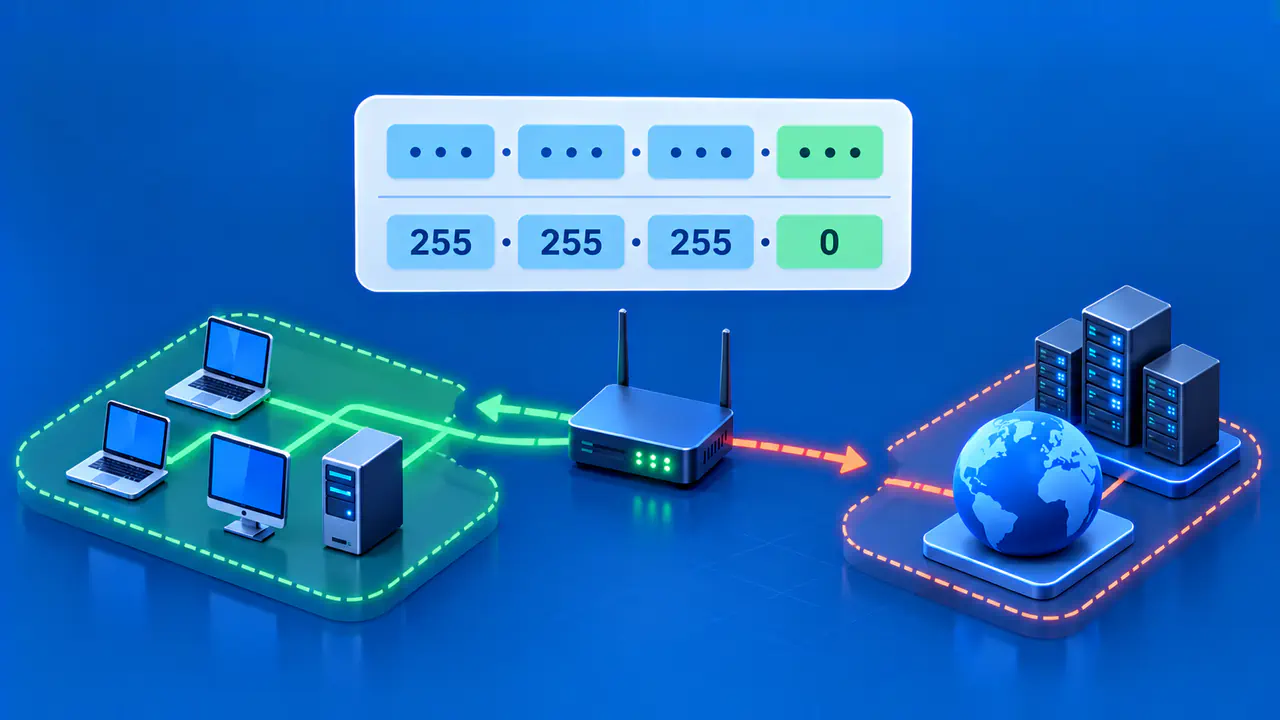
An IPv4 subnet mask tells a device which bits of an IP address describe its network prefix and which bits can vary within that network. It is written as four dotted decimal numbers, such as 255.255.255.0. Used with an IPv4 address, it helps the device decide whether a destination belongs to the local subnet or needs a route toward another network.
A conventional subnet mask has one bits in a continuous run from the left, followed by zero bits. The count of those leading ones is the CIDR prefix length. For example, 255.255.255.0 contains 24 leading one bits, so it corresponds to /24. The mask is not a gateway address, a DNS server, or an extra IP assigned to the device.
What a Subnet Mask Marks
An IPv4 address has 32 bits, usually displayed as four eight-bit octets. The mask has the same length. A one bit in the mask selects the corresponding address bit as part of the network prefix; a zero bit leaves it available to distinguish addresses within that prefix. Applying the mask with a bitwise AND operation keeps each address bit where the mask has a one and sets each other bit to zero. The result is the network portion used for the subnet comparison.
For a device with 192.0.2.37 and mask 255.255.255.0, the first three octets form the /24 prefix. The containing block is 192.0.2.0/24. An address such as 192.0.2.80 shares that prefix, while 198.51.100.80 does not. These are documentation addresses for explaining the calculation, not recommended values for a live network.
The mask alone does not identify the subnet. You need both the address and the mask to know which block contains that address. Two devices can use the same mask on different networks. For example, a /24 mask on one private LAN and a /24 mask on another does not make those LANs one local link. Their actual prefix values and the path between them matter. The mask is a boundary rule, not a globally unique network identifier. Likewise, two devices on a functioning subnet must have compatible addressing and routing; matching masks without matching network prefixes is not enough.
Contiguous Mask Bits and CIDR
A valid ordinary IPv4 subnet mask follows the pattern of all ones and then all zeros in binary. The boundary can fall between octets or inside one octet. 255 is eight one bits, 0 is eight zero bits, and 192 is 11000000. Therefore 255.255.255.192 has 24 plus 2 leading ones, making it a /26 mask.
The slash number gives the same boundary more compactly. 192.0.2.0/26 means a block with the first 26 bits fixed, and its dotted mask is 255.255.255.192. The other six bits vary, giving 64 address bit patterns in that block. Do not turn that count into a universal statement about usable host addresses; special cases and address-assignment rules matter.
An arbitrary dotted number is not necessarily a valid subnet mask. For instance, 255.0.255.0 has one bits after zero bits and cannot be expressed as a single contiguous prefix length. Wildcard masks used in some access rules have a different purpose and must not be treated as subnet masks just because they also contain four dotted numbers.
Convert between Mask and Prefix
To convert a contiguous dotted mask to CIDR, write each octet as eight binary bits and count the leading ones. For 255.255.240.0, the first two octets contribute 16 ones. The third octet, 240, is 11110000, adding four. The fourth contributes none. The total is 20, so the mask is /20.
To convert a prefix length back to a dotted mask, set that many bits to one from the left, then fill the rest with zeros. For /26, the first three octets are all ones, or 255.255.255. Two more one bits in the last octet make 11000000, or 192. The result is 255.255.255.192. For /24, all 24 bits in the first three octets are one and the final octet is zero, giving 255.255.255.0.
Check the result in both directions when entering it into a network plan. A prefix length can be any integer from 0 to 32 for IPv4. Common masks are easy to memorize, but the bit-count method works for less familiar boundaries and reveals noncontiguous errors. A network calculator can help verify an entry, but it should not replace the address allocation supplied by the administrator.
Use the Mask to Separate Local and Remote Destinations
A device compares its own network prefix with the destination's prefix under the configured mask. If they match, it can try local delivery using the network's link mechanism. If they differ, it normally sends traffic toward an appropriate router or default gateway. Real route tables can contain more specific routes and special cases, so the mask is a core input rather than the entire routing policy.
For example, with 192.0.2.37/24, 192.0.2.80 appears within the same /24. 198.51.100.80 is outside it and needs a route if communication is to work. A wrong mask can therefore cause a device to look for a remote address locally or send a local address toward a router. Check the gateway and network plan if local and remote reachability behave unexpectedly.
IPv6 usually expresses this boundary as a prefix length, such as /64, rather than an IPv4-style dotted decimal mask. Keep the address families distinct. The subnet mask explains the network boundary for IPv4; it does not automatically assign an address or make every destination reachable.