Why Does My IP Address Show the Wrong ISP?
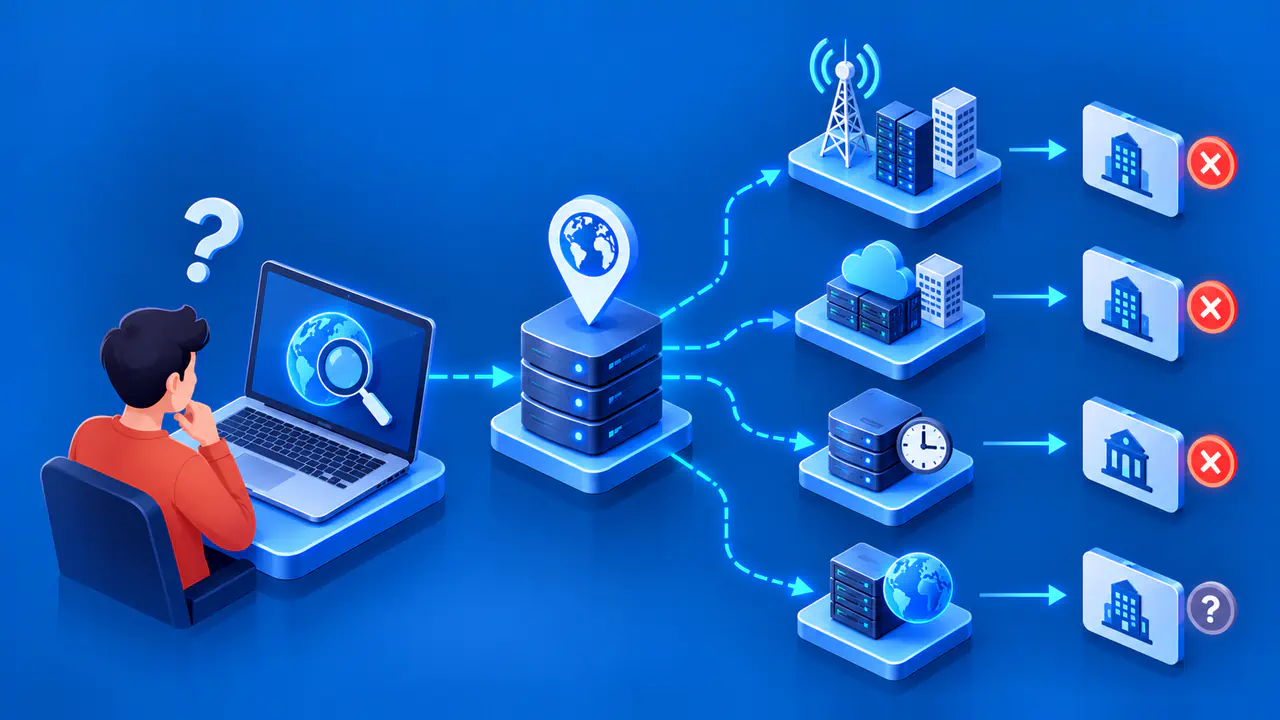
An IP lookup may show a company name that differs from the one on your internet bill. The result might name the network operator, an upstream provider, the organization assigned an address block, or the organization associated with an autonomous system number (ASN). An outdated or incorrect database entry can also cause a mismatch. The field's meaning matters as much as the company name it contains.
An unexpected ISP name alone does not show that someone has taken over your connection. A VPN, a mobile connection, or a workplace network can explain why a lookup displays an unfamiliar company. Before requesting a correction, check which public IP address the service examined and what its provider field represents.
Why the Name Differs from Your Bill
The company that bills you may sell internet access under one brand while another company operates the underlying network. A reseller can buy connectivity from an upstream operator, and a provider may use a legal company name that differs from its public brand. A lookup can display one of those names even when your service and account have not changed.
Check the public IP address used for the lookup. If your browser's request passes through a VPN or proxy, the result may name the company associated with that service's exit address. A page loaded over mobile data may instead show a mobile network, even if you normally browse through home Wi-Fi. Confirm how the device reached the lookup site before comparing the result with your home internet bill.
Some lookup services display an ISP name and an organization name separately. The ISP field identifies a provider associated with the address according to that service's data; the organization field may identify a business customer or another entity associated with the address. Read the field definitions, since services do not all use these labels in the same way. A valid organization name need not match a retail ISP brand.
What ASN and Registry Records Show
An ASN identifies an autonomous system: a group of networks managed under a common routing policy. A lookup may show the ASN and the name of the organization associated with it. An upstream transit operator can also appear in a route trace, but appearing along the route does not make that company your retail ISP. Nor does a transit hop necessarily identify the autonomous system originating the route to the checked address.
Regional internet registries publish RDAP or Whois records for address ranges, ASNs, organizations, and contacts. An IP network record describes a registered address block and its holder or assignee, while an ASN record identifies the organization registered for that number. Parent and reassignment records can show how a larger allocation relates to a customer's smaller block. These records describe registration relationships, which may differ from the commercial relationship shown on your bill.
A merger, rebrand, address transfer, or change in network arrangements may leave an older name in a lookup database. Check what a displayed update date actually refers to: a registry record, a database release, or the time of the lookup. A recent lookup time does not establish when the underlying company name was checked. Likewise, an older registry entry may still be accurate if the registered organization has not changed.
Compare the Right Fields
Record the exact public IP, the lookup service, and the time of the check. Copy the ISP, organization, and ASN fields separately, including their labels. If the page shows only a generic provider name, consult its field description before deciding which company belongs there. Comparing one service's ISP field with another service's organization field can create a mismatch even when both records are accurate.
For a useful second opinion, submit the same address to another lookup service. If an automatic check shows a different address, your connection may have switched networks or received a new address from the same provider. Those results describe different addresses, so their labels may differ for a valid reason. For the same address, a disagreement may reflect different field definitions, data sources, or update schedules.
Compare the result with the relevant registry's network and organization records, following any referral to another registry where needed. A parent allocation can name a larger operator while a more specific record names a customer, so note which address range each result covers. If the internet connection works normally, a company-name mismatch alone is not a reason to factory-reset the router. Investigate the label and its source before changing network settings.
Report a Confirmed Error
Use the correction process offered by the lookup site's data provider once you have identified a specific error. Include the public IP, the exact field, the displayed value, the proposed value, and the date of observation. Explain the evidence for your proposed name, such as confirmation from the network operator. Report a whole address range only when the evidence covers that range, rather than assuming neighboring addresses have the same problem.
A correction form may distinguish ISP brand names from organization names, so select the category that matches the error. The data provider may review the evidence and decline a change that does not fit its field definition. An accepted correction at one provider will not automatically reach every lookup site; other sites may use different datasets or older copies. Avoid attaching unredacted bills, account credentials, or unrelated customer information to a report.
If the displayed name belongs to a legitimate upstream operator, ask the lookup service whether that operator is the intended subject of its field. If the checked address comes from a VPN or mobile connection, use a lookup made through the connection you intended to examine, where you are authorized to do so. Replacing every unfamiliar name with the billing brand can make a record less accurate. A correction should resolve the identified error while preserving valid information about the network.