
Articles: Page 3
Browse all our articles to find answers to your questions about the internet, networks, browsers, security, privacy, and more. From everyday problems to more technical topics, our articles offer explanations and guidance for readers of all experience levels.

Which DNS Server Answered Your Query?
After a DNS reply, nslookup and dig results show the responding server's address; system and browser settings help explain which resolver was selected.

How to Use dig for DNS Troubleshooting
DNS troubleshooting with dig starts with a query for a specific name and record type, followed by checks of the response status and the answering server.

How to Use nslookup for DNS Testing
Specifying a hostname, record type, and DNS server in nslookup tests that server's answer for the name without changing the device's DNS settings.

Fixing Android Private DNS Problems
Correcting the provider hostname or restoring a working DNS setting can resolve Android Private DNS errors caused by a typo or an unreachable service.

Why Browsers Use Different DNS Servers
A browser can use a different DNS server when secure DNS or proxy settings handle name lookups separately from the operating system's chosen resolver.

How DNS Filtering Blocks Websites
DNS filtering blocks domain lookups according to resolver policy, which can make a legitimate site fail when a listed name is shared or misclassified.
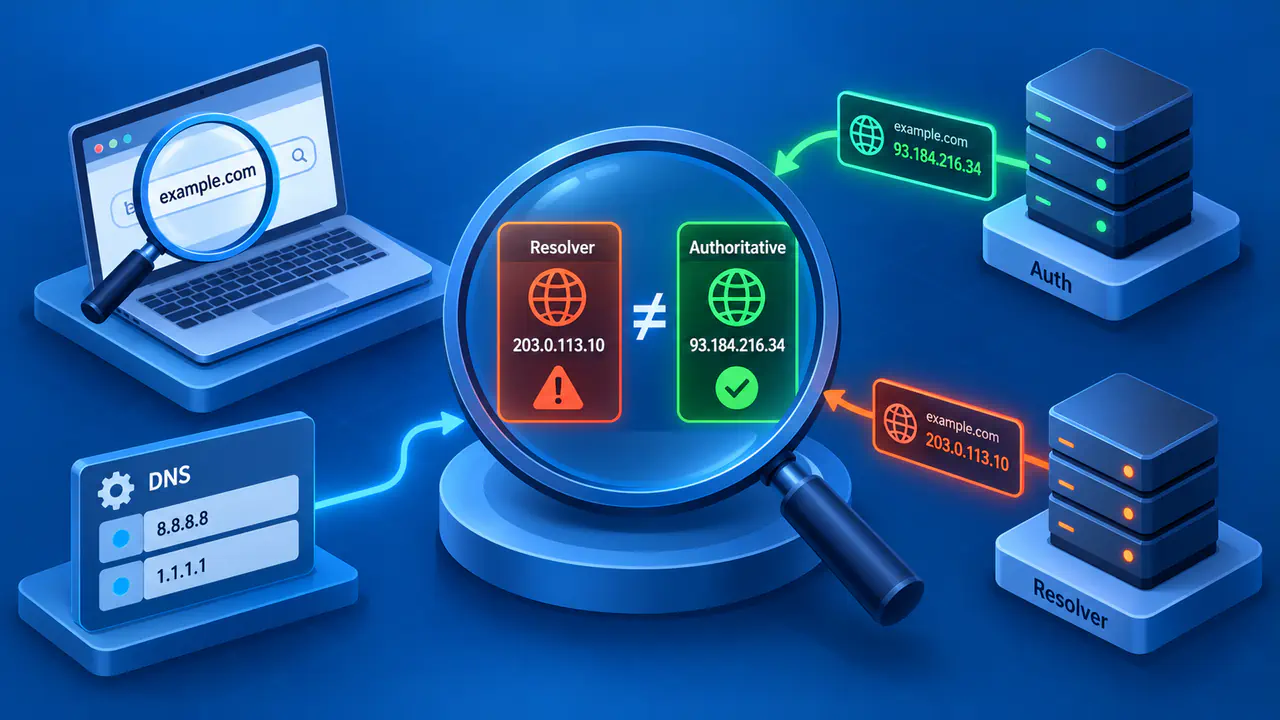
How to Check for DNS Hijacking
DNS hijacking checks compare DNS settings, resolver responses and authoritative records to investigate unauthorized changes in how names are resolved.
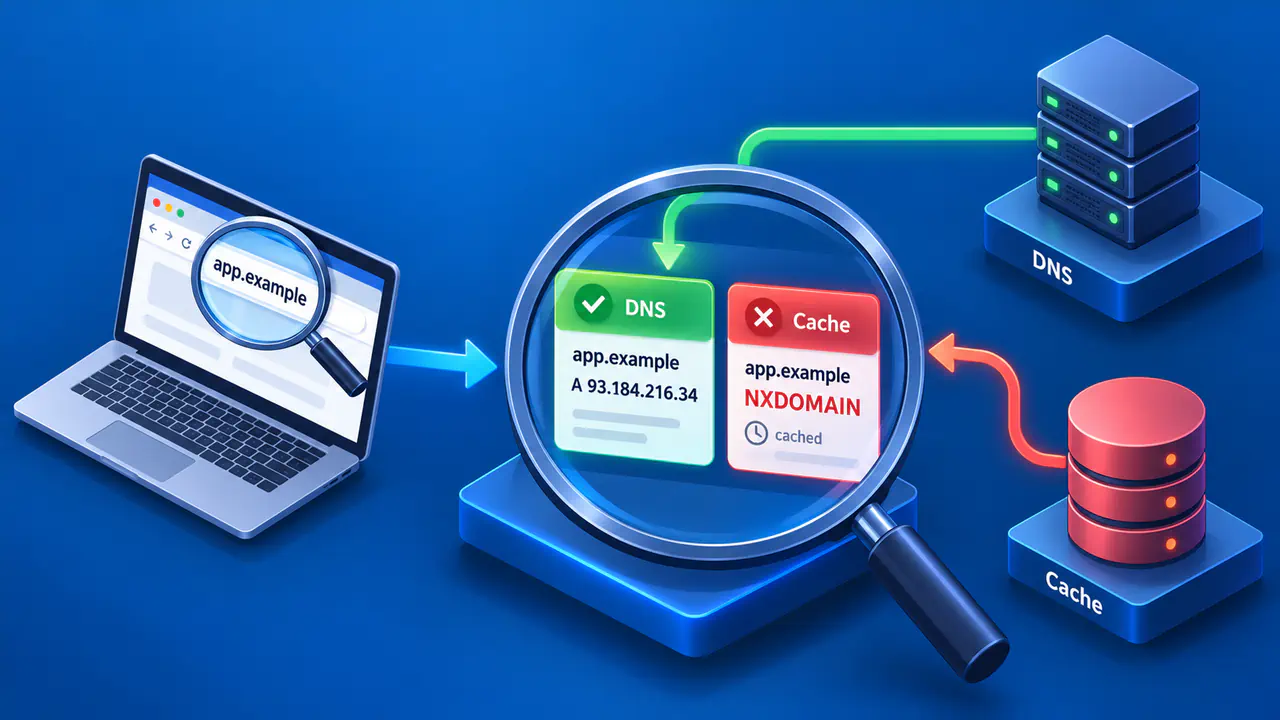
How to Troubleshoot NXDOMAIN DNS Errors
Checking the exact name and comparing authoritative DNS answers with the resolver's response help distinguish missing names from cached or rewritten replies.

What Causes DNS SERVFAIL Errors?
DNS SERVFAIL can result from DNSSEC validation failures, unreachable authoritative servers, or network and configuration problems that prevent resolution.

How DNS TXT Records Work
DNS TXT records store text in one or more strings, which applications retrieve from a specific DNS name and interpret using their own format and rules.

How to Clear the DNS Cache in Chrome
In desktop Chrome, Clear host cache at chrome://net-internals/#dns removes stored host lookup results so the browser can resolve affected names again.

How to Flush the DNS Cache on a Mac
On macOS Sonoma 14 and newer, sudo killall -HUP mDNSResponder flushes the local DNS cache before you repeat the lookup to check the affected hostname.

What Is DNS TTL?
DNS TTL is the lifetime, measured in seconds, that tells a resolver how long it can normally reuse a cached DNS record before fetching a fresh answer.

Does Changing DNS Speed Up Internet?
Changing DNS can reduce the wait before a connection starts without increasing your internet link's capacity or speeding up data on an established connection.

How to Choose a DNS Server
A suitable DNS resolver meets your privacy and filtering needs, resolves required names on your networks, and answers repeated test queries reliably.
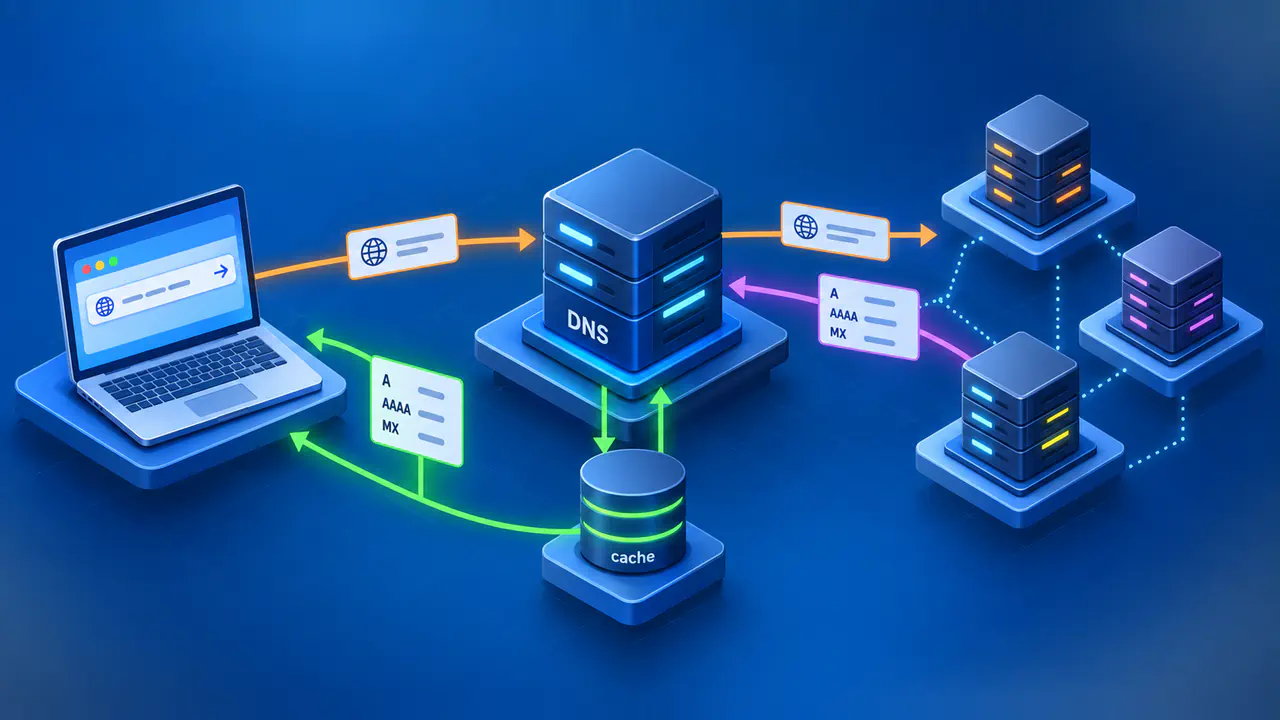
What Is DNS and How Does It Work?
DNS is a distributed system that resolves domain names to records, using cached answers or queries to authoritative servers to supply the requested data.
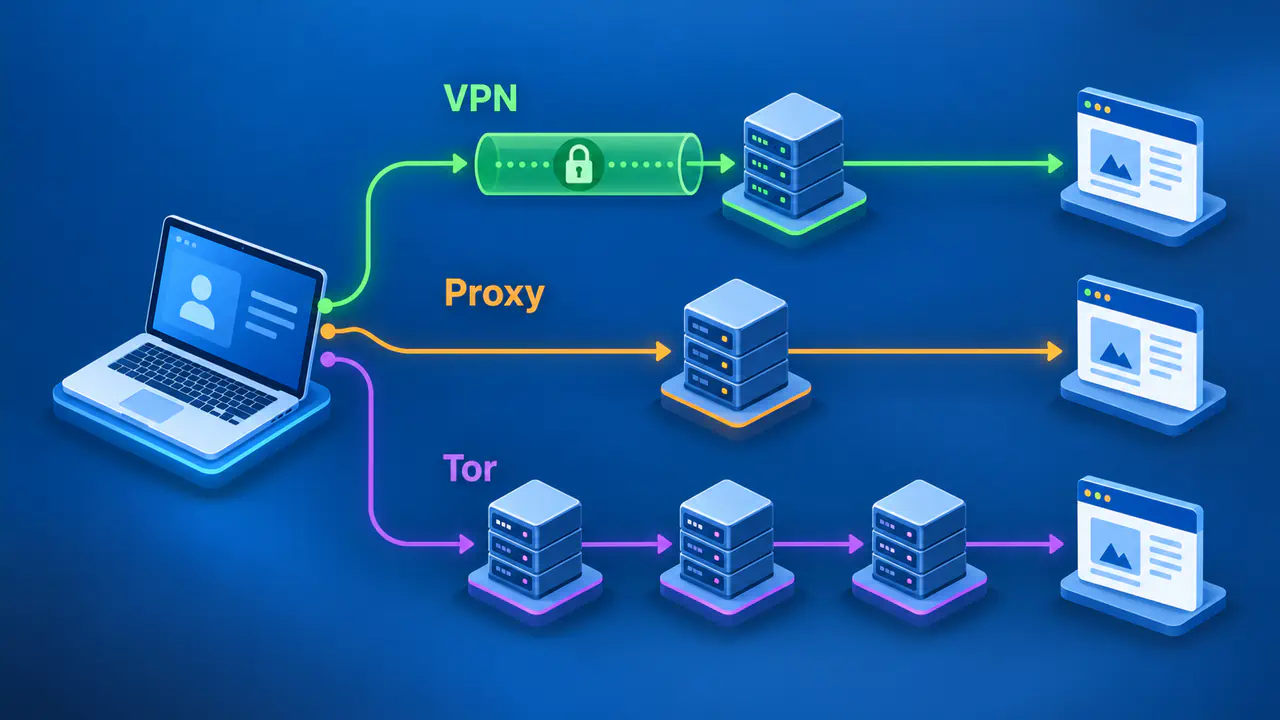
How to Hide Your IP Address
A VPN, a properly configured proxy, or Tor Browser can hide your usual public IP from websites by sending the connections they cover through another server.

iCloud Private Relay vs VPN
iCloud Private Relay covers Safari and selected traffic, while a device VPN can route connections from more apps, depending on its settings and platform.

Are Free VPNs Safe?
A free VPN's safety depends on how the service protects your traffic and handles personal data, rather than whether it charges a subscription fee.

How to Reduce Tracking without a VPN
Blocking cross-site trackers and limiting the information shared through accounts and site permissions can reduce online tracking without using a VPN.

Accessing Local Devices with a VPN
Access to local devices while a VPN is connected depends on a working local connection and VPN settings that allow the required traffic outside the tunnel.

Why Does My VPN Keep Disconnecting?
A VPN may keep disconnecting because of an unstable internet connection, sleep settings, server problems, or a failed attempt to renew its session.

Does a Phone VPN Protect Hotspot Traffic?
A phone VPN may protect the phone's own apps while hotspot devices use the mobile carrier's connection without passing through the phone's VPN tunnel.

What a No-Logs VPN Means
A VPN's no-logs policy usually means browsing records are not kept, while account details and data needed to run the service may still be stored.